Design Contest: Win a TicWatch S2 with Facer and Mobvoi
Create watch faces for the TicWatch S2 and E2 and win prizes! Create watch faces for the TicWatch S2 and E2 and win prizes!


From now until June 5th, Mobvoi and Facer are excited to invite smartwatch lovers to submit watch face designs for the TicWatch S2 and TicWatch E2 on the Ticwatch Creator, powered by Facer.
The design contest will be judged by the Ticwatch S2 & E2 design team who will review and evaluate the submissions based on their quality, creativity, and innovative use of the smartwatch platform. The best entries will be featured on Facer during the whole month of May and a total of 4 winners will be selected and publicly announced in early June.
For more details on the contest and prizes, see below:
To Enter the Contest
Participants who want to enter the contest must:
- Subscribe to Mobvoi newsletter at www.mobvoi.com
- Design and submit their watch faces at https://ticwatch.facer.io by following the weekly themes announced on the forum.
Jury
- TicWatch S2 & E2 Design team
The jury will select 1 winner per weekly theme, and 1 overall winner.
Prizes
The winners will receive the following prizes:
For the winning design
- A TicWatch S2 smartwatch
- $150 Amazon gift card
- Designs featured in Mobvoi’s social channels and Facer store
For the 3 runner-ups
- A TicWatch S2 smartwatch
- $50 Amazon gift card
- Designs featured in Mobvoi’s social channels and Facer store
Rules
- The designs must be 100% original.
- Designs infringing on any copyright/trademarks will be disqualified.
- Unlimited entries per participant, but only 1 entry can be selected as finalist by the jury.
- The designs must be submitted before Wednesday night, June 5th at midnight Pacific Time.
🚀 Where do I start?
To enter the contest, just head over to ticwatch.facer.io, create a Facer account or login with your existing one, and start designing!
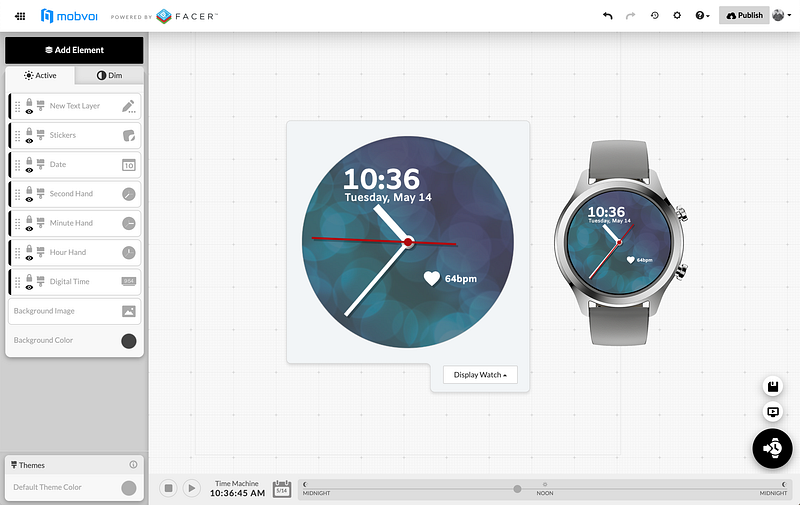
The first theme for the contest is “SPACE”. Make sure to check back in the forum every week for each new theme!

If you need help with your designs, we recommend reading the Facer Docs, reviewing some of the tutorials, or connecting with the Facer community in our forums.